Does anyone else dislike the new iphone update 26

Does anyone else dislike the update 26 for the iphone? I think it looks awful. You can't eve see the clock properly, I don't know how people with maybe bad eye sight will go on. And there's not much you can alter, I've turned off auto updates now.
Comments
-
it’s not very ‘ eye’ friendly at all.
0 -
YESS!! I really don't like it!! I can't explain just how unusable I find it, the first thing I did was search how to change it back (you can't 😓) but it's awful! I can't get used to it at all
0 -
Are you talking about the look they're calling "liquid glass" or something?
You can change bits of your lock screen by going to settings > wallpaper > on your wallpaper press customise > then change to "solid"
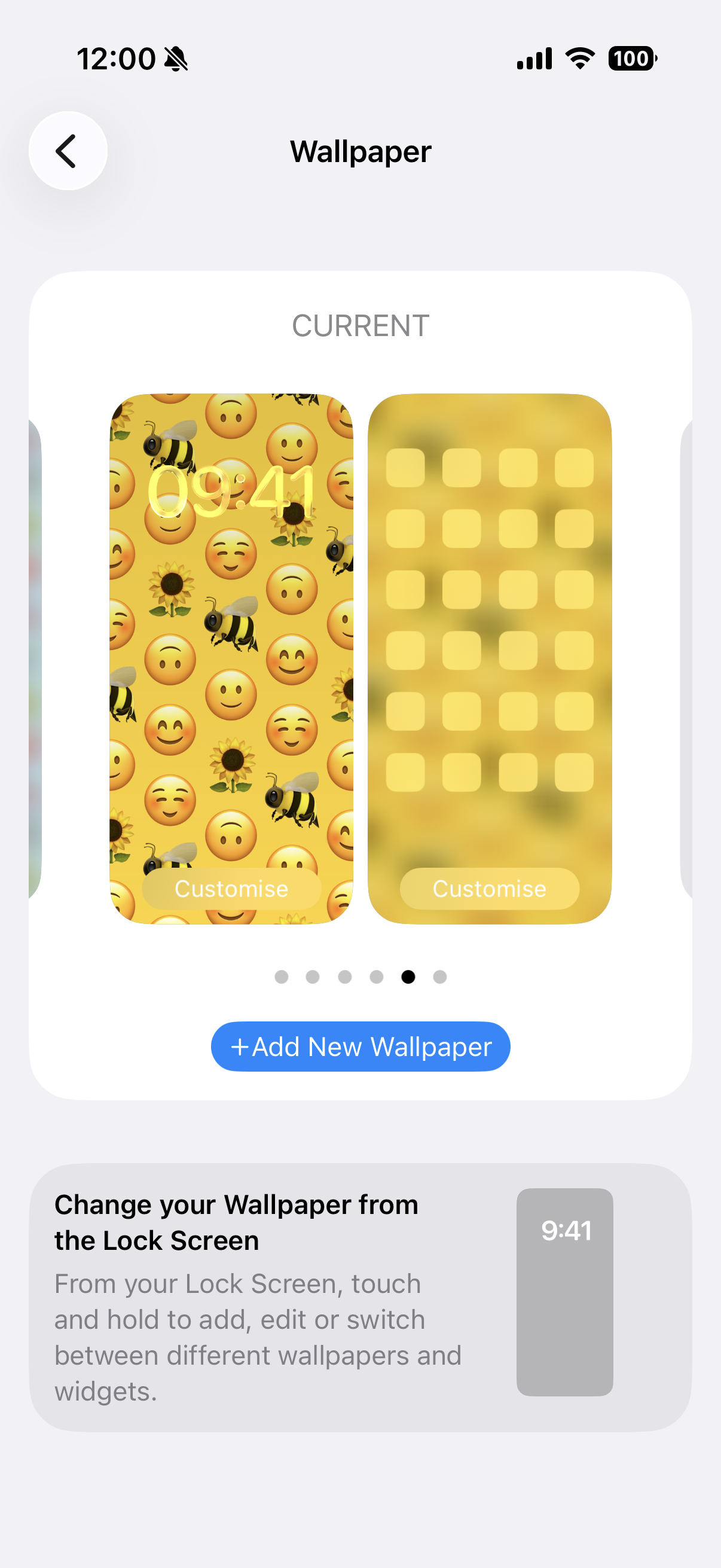
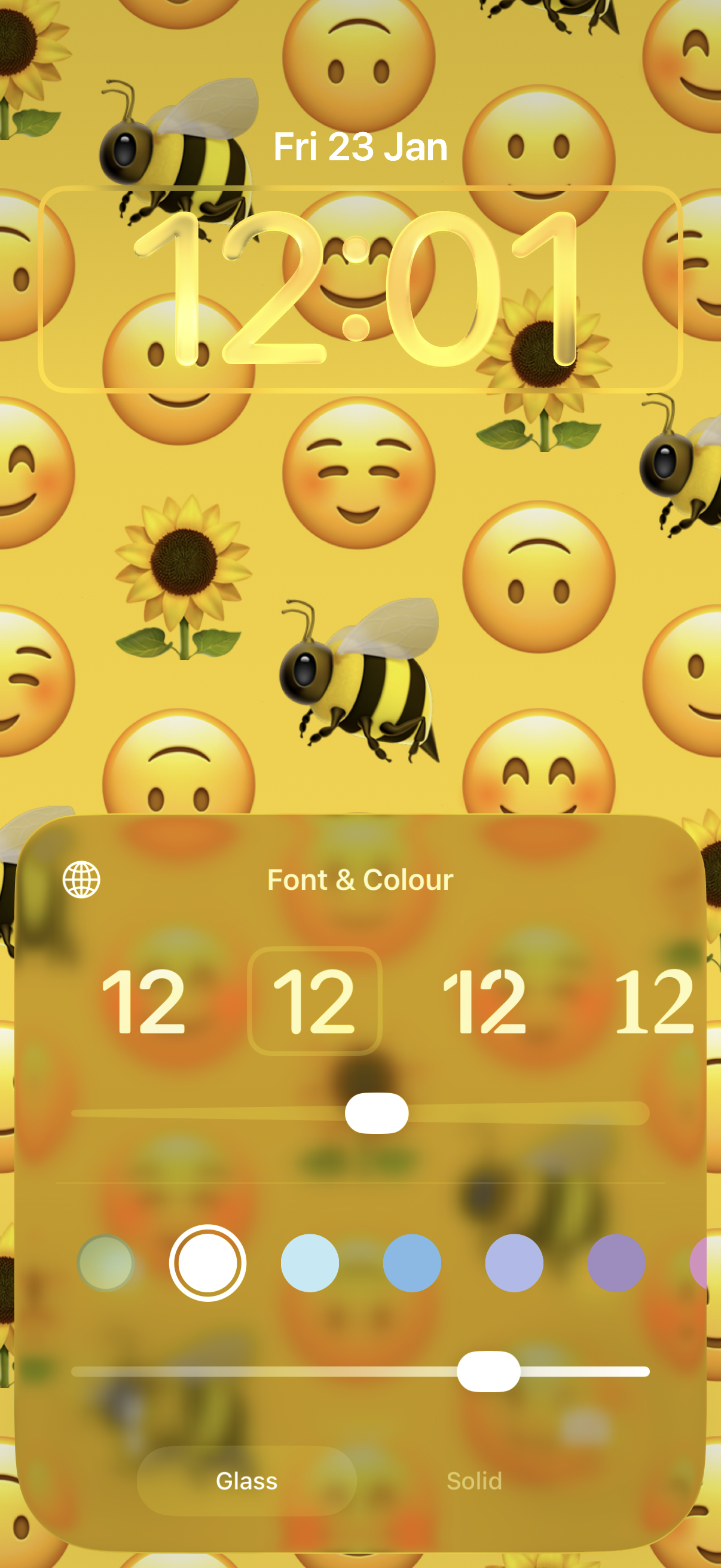
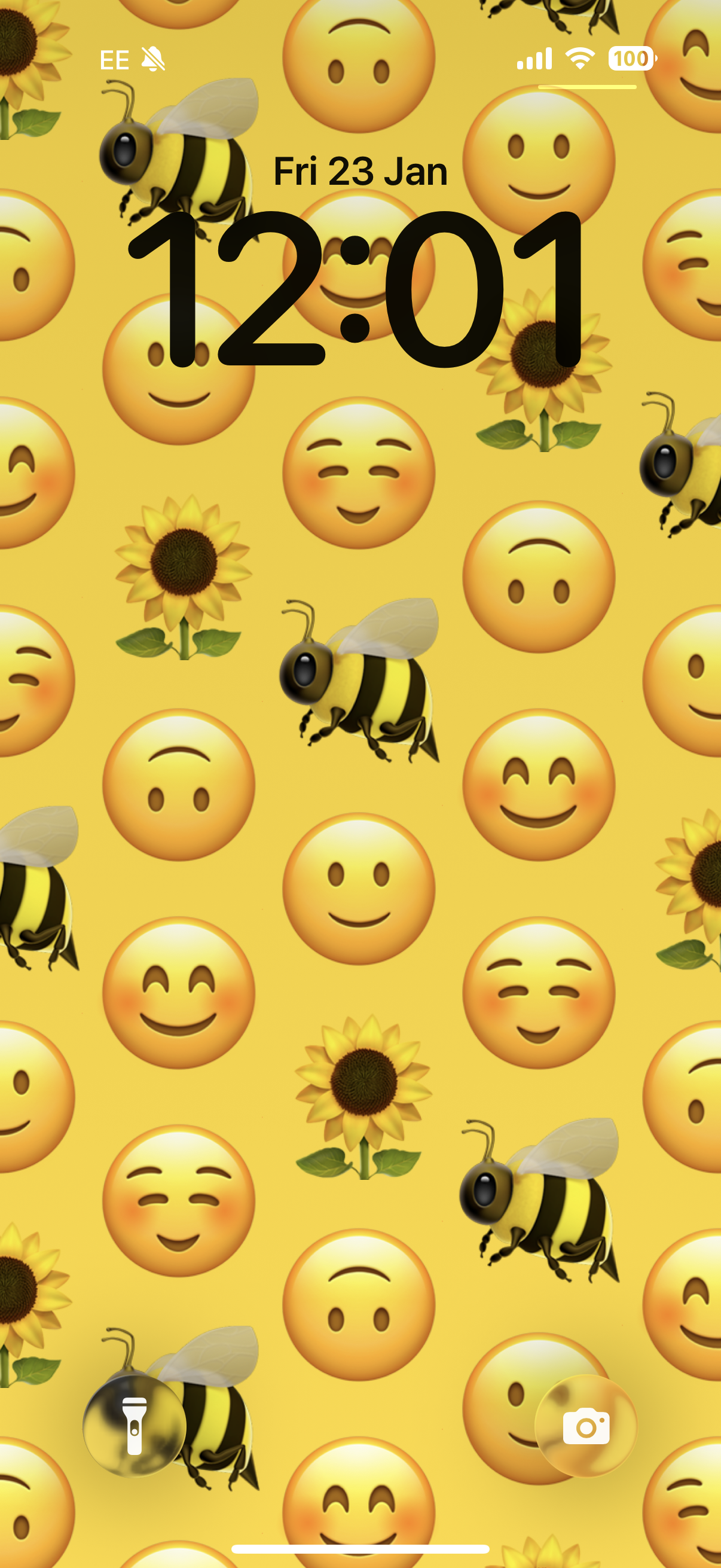
Also you can reduce transparency in settings > accessibility > display & text size
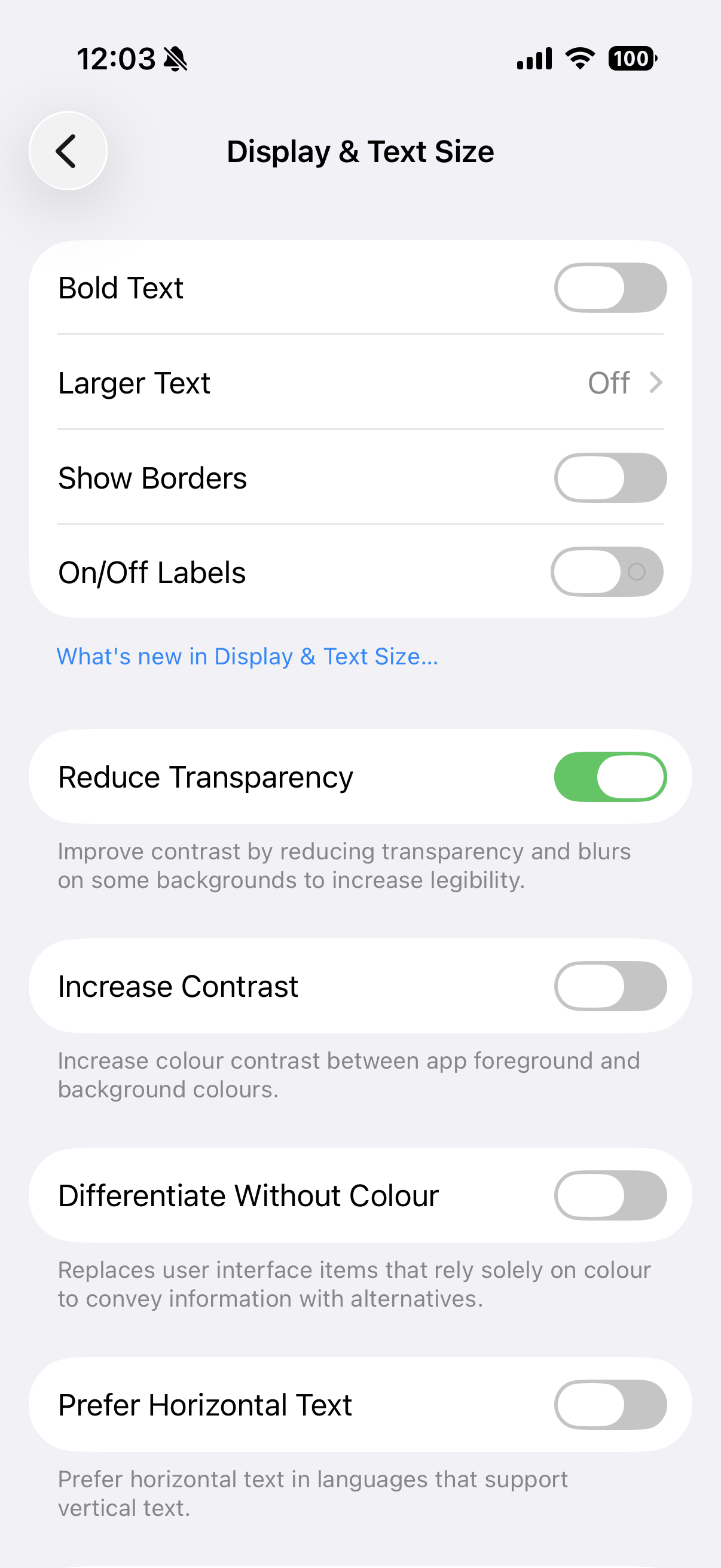
It's not perfect but here is the before and after
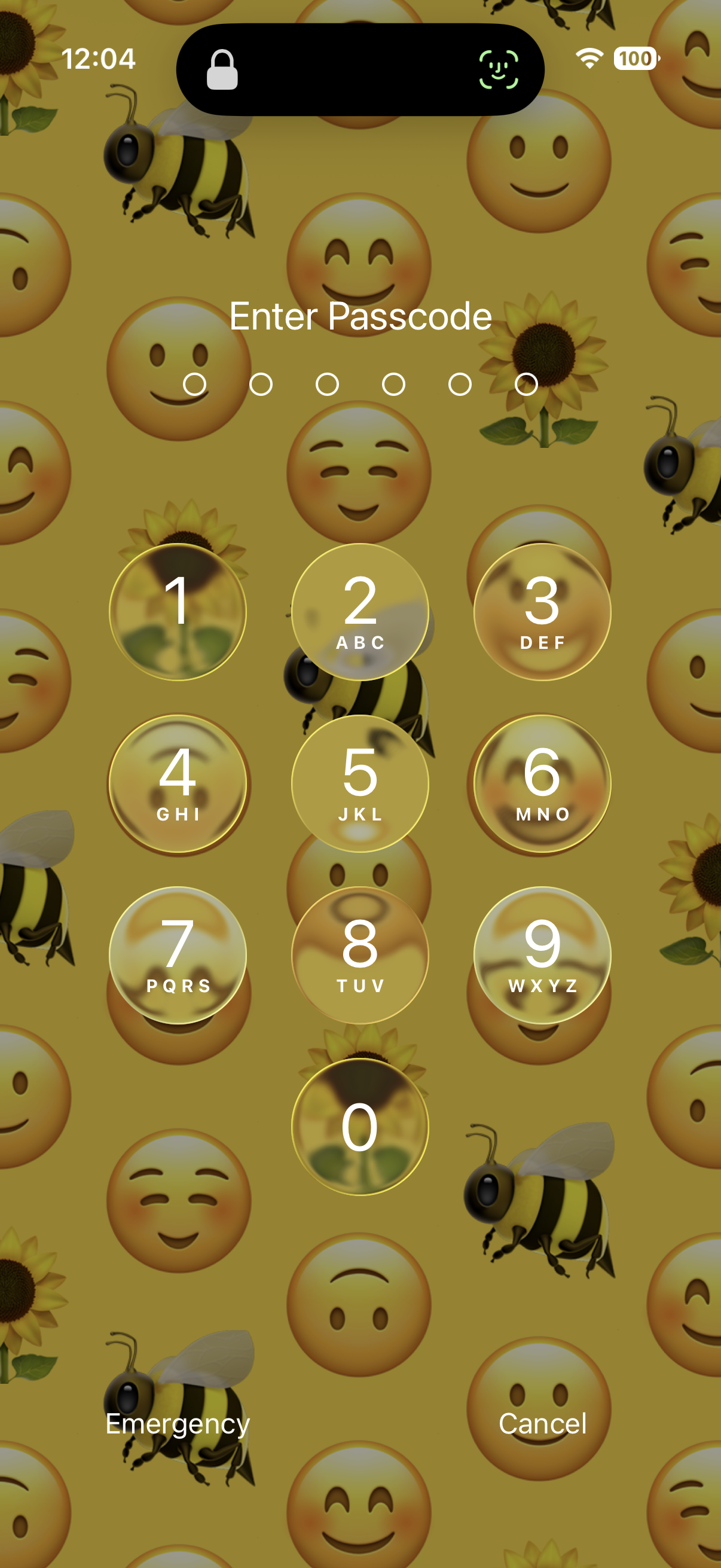
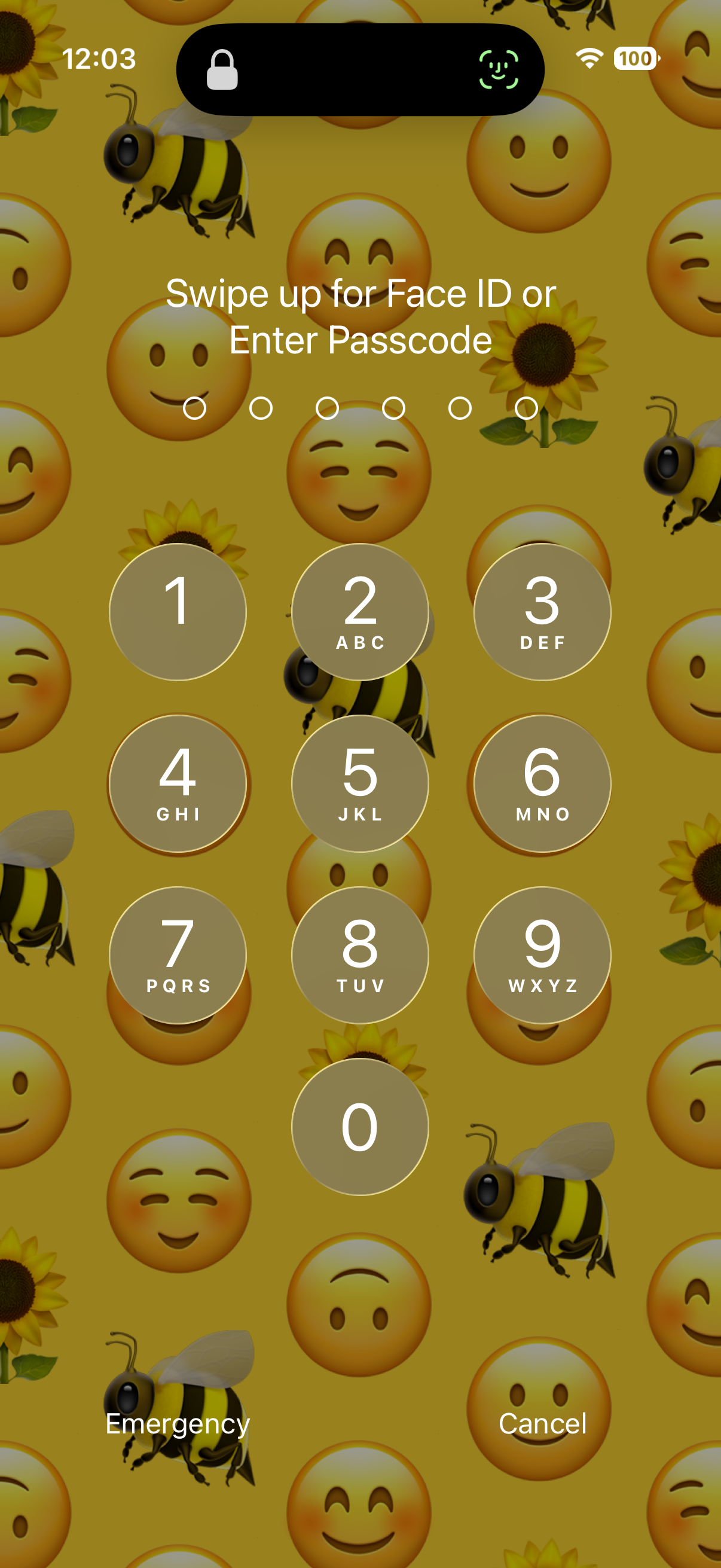 2
2 -
I'm trying to turn the "Time" darker on my front screen, but there doesn't seem a way to do it. It reflects the colour behind it like a very shallow or faded white?.
0 -
Yes there's a way in the wallpaper section to turn the clock back to normal when you change your wallpaper again, you can make your clock larger or smaller too👍
0 -
I personally don’t like the new update I wish I never installed it 🙈. I’m glad I’m not the only one who is finding it difficult. Though I’m learning what could help the remedy. Glad to have found someone mention this exact topic 🫶Thanks
0 -
😂I think I'm going back to iphone 5s, it behaved better.
1 -
I might be wrong but I think Apple let you revert to the previous operating system for like 60 days or something?
That might just be their computers, for people that experience compatibility issues, as a lot of professionals use them for work, but I'm not sure
0 -
I don't think there is a way to do it 66Mustang, I've tried. The best you can do is fiddle with it, I managed to alter the clock, but my sticking point is the clear texts on the front when they arrive,they're hard to see.
0 -
Wouldn't a nokia 3310 be really out of date now and on 3g?
😂😂😂
0 -
Mine hasn't updated yet and I'm hoping it doesn't as I'm not sure about the look of the buttons. They're definitely more difficult to read. Thanks for showing us how to fix it @66Mustang!
0 -
That's good to know @onmylonesome!
0 -
Ooh thanks! I wish they'd leave things alone and stop trying to make everything look different all the time. The Met Office updated their app and I can barely use it now.
0 -
update from ios 14, spend a long time to adjust ios 26 🤯
0



Categories
- All Categories
- 16.4K Start here and say hello!
- 7.7K Coffee lounge
- 121 Games den
- 1.8K People power
- 186 Announcements and information
- 25.7K Talk about life
- 6.2K Everyday life
- 429 Current affairs
- 2.5K Families and carers
- 892 Education and skills
- 2K Work
- 615 Money and bills
- 3.8K Housing and independent living
- 1.2K Transport and travel
- 674 Relationships
- 1.6K Mental health and wellbeing
- 2.6K Talk about your impairment
- 884 Rare, invisible, & undiagnosed conditions
- 945 Neurological impairments and pain
- 2.3K Cerebral Palsy Network
- 1.3K Autism and neurodiversity
- 41.5K Talk about your benefits
- 6.2K Employment & Support Allowance (ESA)
- 20.6K PIP, DLA, ADP & AA
- 9.4K Universal Credit (UC)
- 5.4K Benefits and income